invocie octobr→Invoice October.pdf
Typos forgiven
Fuzzy filename matching with typo tolerance, so half-remembered names still land.
Nestly is a calm, fast home for every file on your Mac. Search in plain English, see what a file is before you open it, and keep every folder in order — all native, all on your Mac.
Early-bird price: from $9, once. One licence, every feature, free updates for life.
One-time purchase · macOS 14+ · Apple silicon & Intel · Signed & notarized
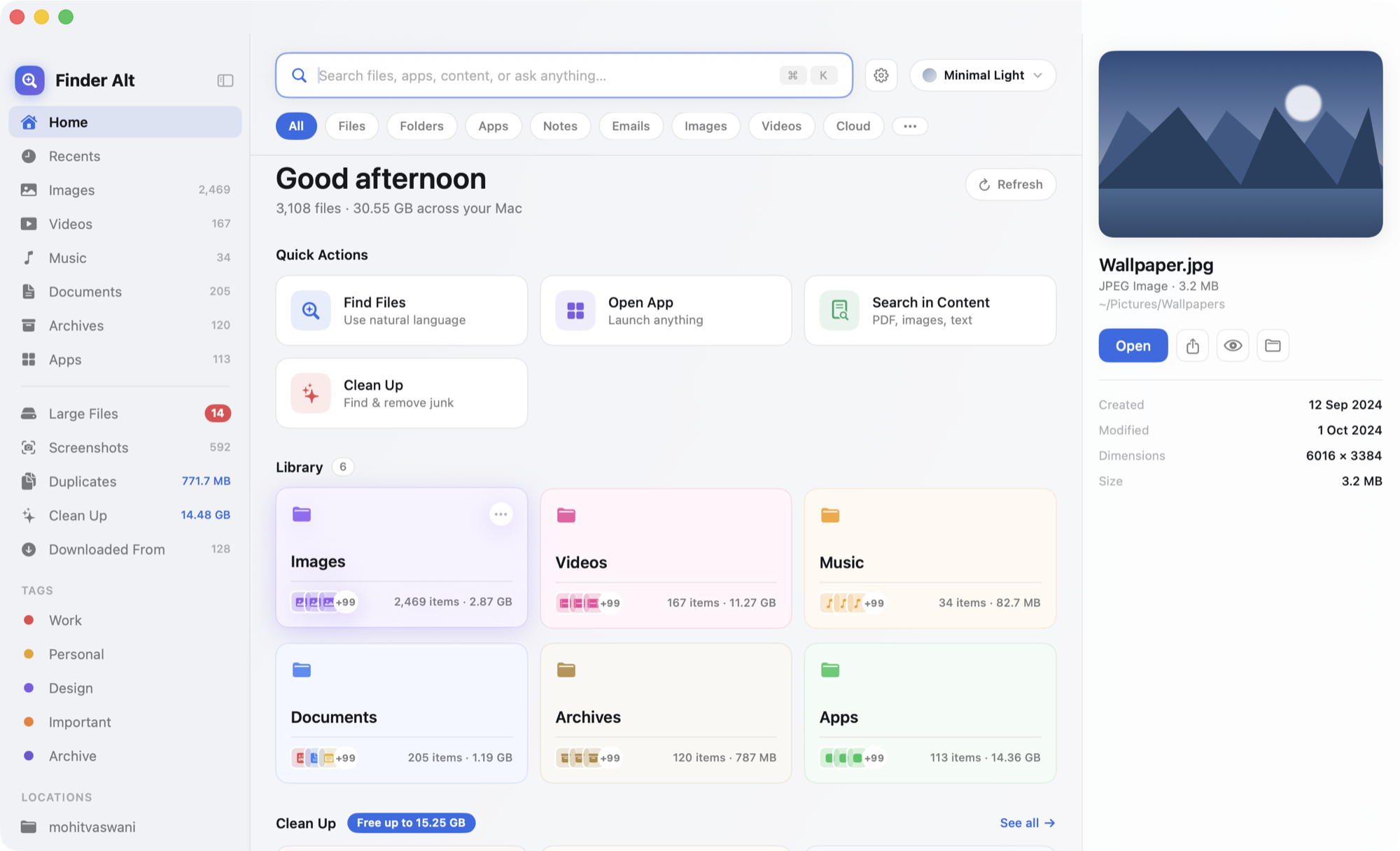
This is Nestly, working in your browser. Search in plain English, click around the library, press Space to Quick Look, and clean up a few gigabytes. Nothing here touches your real files.
Describe what you're looking for — "wifi password screenshot", "pdfs from last week" — and Nestly turns it into filters you can see and edit: type, size, date, place.
It looks past filenames too: the text inside your documents, and the words in your screenshots and photos, read on your Mac with Apple's Vision framework.
Fuzzy filename matching with typo tolerance, so half-remembered names still land.
Matches names, tags and the text inside files — PDFs, notes and documents.
Remove or change a chip before you commit. You always see what it understood.
Drag files where they belong, or move, rename and compare whole folders in a step. Every operation is verified, conflicts are handled safely, and anything can be undone.
Copy, move and rename run in a queue with clear states, verification and a full undo history.
Rename a whole selection with a pattern, preview every new name, then apply it as one undoable step.
See what's only on one side or different, then sync with newer-wins or mirror presets. Replaced items go to the Trash.
Nestly doesn't just say "you can free 15 GB." It shows the duplicates, old installers, forgotten downloads and screenshots behind that number, why each is a candidate, and exactly what happens next.
Everything goes to the Trash — nothing is deleted permanently.
Exact copies found by fingerprint (SHA-256) — not by name — with the space you'd get back.
Untick anything you want to keep. Changed your mind? Undo puts it all back.
Files that live only in iCloud are skipped automatically. Nothing gets re-downloaded.
Drag — or fling — files into the Trash. Clean Up knows what's safe to remove and politely refuses what you still use. Changed your mind? Undo throws it all back.
Can't recall the filename, but you know it came from Gmail, Slack or Google Drive? Nestly groups every download by its source — with counts and sizes — so you find things the way you actually remember them.
It's part of search, too: "invoice from gmail" or "zip from github" just work.
Nestly reads the "Where from" note macOS already saves with each download. Nothing extra is tracked or uploaded.
Press ⌃⌥Space in any app and a small search panel appears. Open the file, or reveal it in Nestly — without leaving what you were doing.
Inside Nestly your hands stay on the keyboard too: Space to Quick Look, ⇧⌘P for the command palette, ⌘Z to undo anything.
Each one is a few steps Finder makes you take that Nestly doesn't.
Apple Vision reads the text in your screenshots and photos — so a Wi-Fi password or tracking number becomes searchable and copyable.
Exact copies by fingerprint, wherever they hide. Keep the one you want, send the rest to the Trash.
Home shelves for images, videos, music, documents, archives and apps — with big thumbnails, counts and sizes at a glance.
Spacebar preview, arrow-key navigation, and an Inspector with dimensions, duration, camera data and download source.
Save a "Development", "Creative" or "Tax" workspace. Each restores its own tabs, panes, pinned folders and view — without moving a single file.
Pin "pdfs from last week" to the sidebar. The results stay live, reflecting your files as they change.
A transfer queue with safe conflict handling, undo history and verified moves — because an app that touches your files has to be trustworthy.
Press ⇧⌘P for every command, place, workspace and recent file — fuzzy-matched, most-used first.
Spot what changed between two folders by date, size or content hash, then merge as one undoable operation.
From a crisp Minimal Light to a focused Dark, a playful Colorful, and a calm Nature — the whole app re-dresses in a tap.
Not just a dark-mode toggle: each theme brings its own wallpaper, surfaces, accent and corner radius. Pick one here and the demo above changes too.
| Feature | Nestly | Finder |
|---|---|---|
| Visual display | Big thumbnails for everything | Filename lists |
| Search | Plain English → editable filters | Rule-by-rule, one at a time |
| Text in screenshots | Searchable & copyable in bulk | One image at a time in Preview |
| Download origin | Grouped by source | Per-file "Where from" metadata |
| Duplicates | Content-based, with savings | — |
| Reclaiming space | One explainable Clean Up | Scattered in System Settings |
| System-wide search | ⌃⌥Space panel | Spotlight |
| Workspaces | Saved tabs, panes & layouts | — |
Nestly lives happily alongside Finder. Finder keeps doing the system-level things it's good at.
Search, text recognition and duplicate detection all run locally with Apple's own frameworks. The network is used only to check your license and updates — and Nestly keeps working offline for 30 days in between.
Nothing to sign up for. No file contents transmitted, ever. On-device Vision OCR.
No cloud uploads. Trash, never permanent delete. Signed & notarized by Apple.
macOS asks before an app reads Desktop, Documents or Downloads. Nestly asks once, remembers with a secure bookmark, and never looks anywhere you didn't allow.
"I stopped opening six folders to find one invoice. I just describe it and it's there."
An indie Mac developer
"The cleanup actually tells me what it's deleting and why. I trust it with my disk."
A product designer
"Four themes that aren't just a dark-mode toggle. The whole app changes personality."
A creative director
Illustrative quotes shown during development.
No subscription, no account. One licence key, free updates for life. The earlier you join, the less you pay — the price steps up as each batch of licences sells.
For 3 Macs — $5 per Mac
No — it lives happily alongside it. Nestly is a faster, more visual place to find, understand and clean up files, while Finder keeps doing the system-level things it's good at.
Never. Search, text recognition and duplicate detection all run on your Mac with Apple frameworks. The network is used only to verify your license and check for updates.
Only you can. Clean Up moves items to the Trash and shows you everything first. Nothing is permanently removed without your explicit action.
macOS requires explicit permission for an app to read those folders. Nestly asks once, remembers your choice with a secure bookmark, and never looks anywhere you didn't allow.
Yes. Minimal Light and Dark are restrained black / white / grey. Colorful and Nature are there when you want personality.
One-time purchase, with free updates for life. Local file browsing is a natural fit for pay-once.
No — Nestly is paid up front, so it's priced low. The interactive demo on this page is a working replica of the app on sample files, so you can try every feature before you buy. After you buy, the app asks for your key on first launch and activates itself.
The first 50 customers pay $9, the next 100 pay $13, and everyone after that pays the regular $19 (3- and 5-Mac licences step up the same way). The counter on this page is the real number of licences sold. Whatever you pay, every future update is free.
Yes. Choose Settings → Licence → Deactivate this Mac on the old one, then activate on the new one.
macOS 14 Sonoma or later, on both Apple silicon and Intel. The app is tiny (a few MB), signed and notarized by Apple.
Yes — choose a 1, 3 or 5-Mac license. Move a seat between Macs anytime by deactivating the old one.
Give Nestly your messiest folder for a week. It'll be hard to go back.
Download for Mac One-time purchase · 1, 3 or 5 Macs · macOS 14+